 Buck2hub
Quick Start
Getting Started with cargo buckal
Welcome to Buckal!
Buckal (also known as cargo-buckal), is a plugin that enables seamless migration from Cargo to Buck2, ensures that changes to Cargo.toml are automatically reflected in the generated BUCK files. This allows developers to use Buck2 with a familiar, Cargo-like workflow — without manual build file maintenance.
Install Buckal
You can install the latest stable release from crates.io:
cargo install cargo-buckalOr, to install the latest development version from the active repository:
cargo install --git https://github.com/buck2hub/cargo-buckal.gitNOTE
Migrate existing Cargo projects
For any Cargo project that builds successfully, you can migrate to Buck2 with zero configuration by running the following command in a valid directory (one containing Cargo.toml). Buckal will automatically initialize the Buck2 project configuration and convert the Cargo dependency graph into BUCK files.
cargo buckal migrate --init <repo_root>This is equivalent to running cargo buckal init --repo at <repo_root> followed by cargo buckal migrate in the current directory.
Create a Project from Scratch
Buck2 organizes projects in a monorepo structure, so you first need to create the repository:
cargo buckal new <repo_path> --repoAfter that, you must manually set up a Cargo workspace to align with the monorepo layout. Once the workspace is ready, you can create new crates in appropriate locations within it:
cargo buckal new <crate_path>Buckal will initialize both Cargo and Buck2 configurations automatically, but don't forget to manually add it to the workspace.members array in workspace manifest.
--lite option instead of --repo in the first step. This lets Buckal initialize both the repository and the crate in one go, eliminating the need for any further setup.Common Operations
The following describes common development tasks with Buckal. For detailed usage, see Buckal Commands.
Add a Dependency
Inside your package directory, use the familiar Cargo-like syntax to add a dependency:
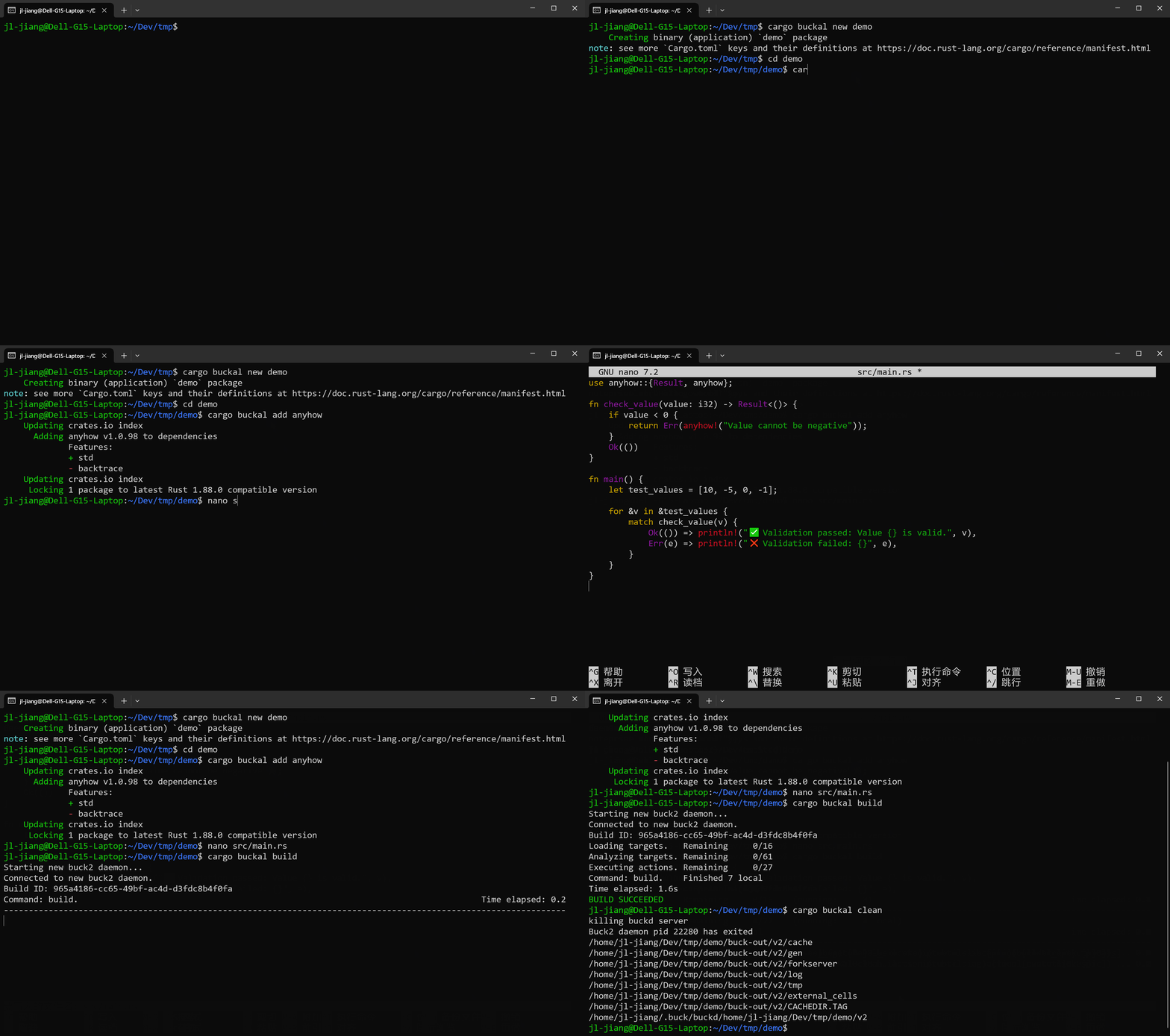
cargo buckal add <DEP>[@<VERSION>] [--features <FEATURES>]Build the Package
To build your crate with Buck2, run:
cargo buckal buildRemove generated artifacts
Delete generated files and caches, and kill the buck2 daemon:
cargo buckal cleanMigrate After Manual Edits
If you edit Cargo.toml directly (e.g., adding dependencies or updating package version by hand), synchronize the changes to BUCK files by running:
cargo buckal migrateRepos using Buckal
- rk8s-dev/rk8s: A lightweight Kubernetes-compatible container orchestration system written in Rust.
- web3infra-foundation/libra: High-performance reimplementation and extension of the core Git engine in Rust, focused on foundational VCS primitives and customizable storage semantics compatible with Git workflows.
- web3infra-foundation/git-internal: Internal Git infrastructure, experiments, and foundational components for Git-compatible monorepo systems.